Case 05 · Interaction direction tool
Sequence
Interfaces are usually shown as screens. Sequence directs what happens between them.
Sequence records how an interface is used, cuts the recording into Shots, and lets you direct the result as a Film.
It is a v1 interaction-design tool I designed and built: a Chrome extension captures the tab, and the Director gives you a camera, a clock, and four things you can do to a moment.
Why this exists
A cut between two screens is a fact. Whether it should look like one is a decision.
Most interface presentation shows screens: a recording, a click-through, a mockup animated by hand. All three keep the frames and lose the rest — the route change, the hover that made a control readable, the scroll that carried someone to the paragraph they needed.
Sequence starts from that missing part. It watches a tab being used and rebuilds the page as a picture of itself, so the moments in it can be pointed at, timed and connected rather than redrawn.
Capture
It records behaviour, not a screen.
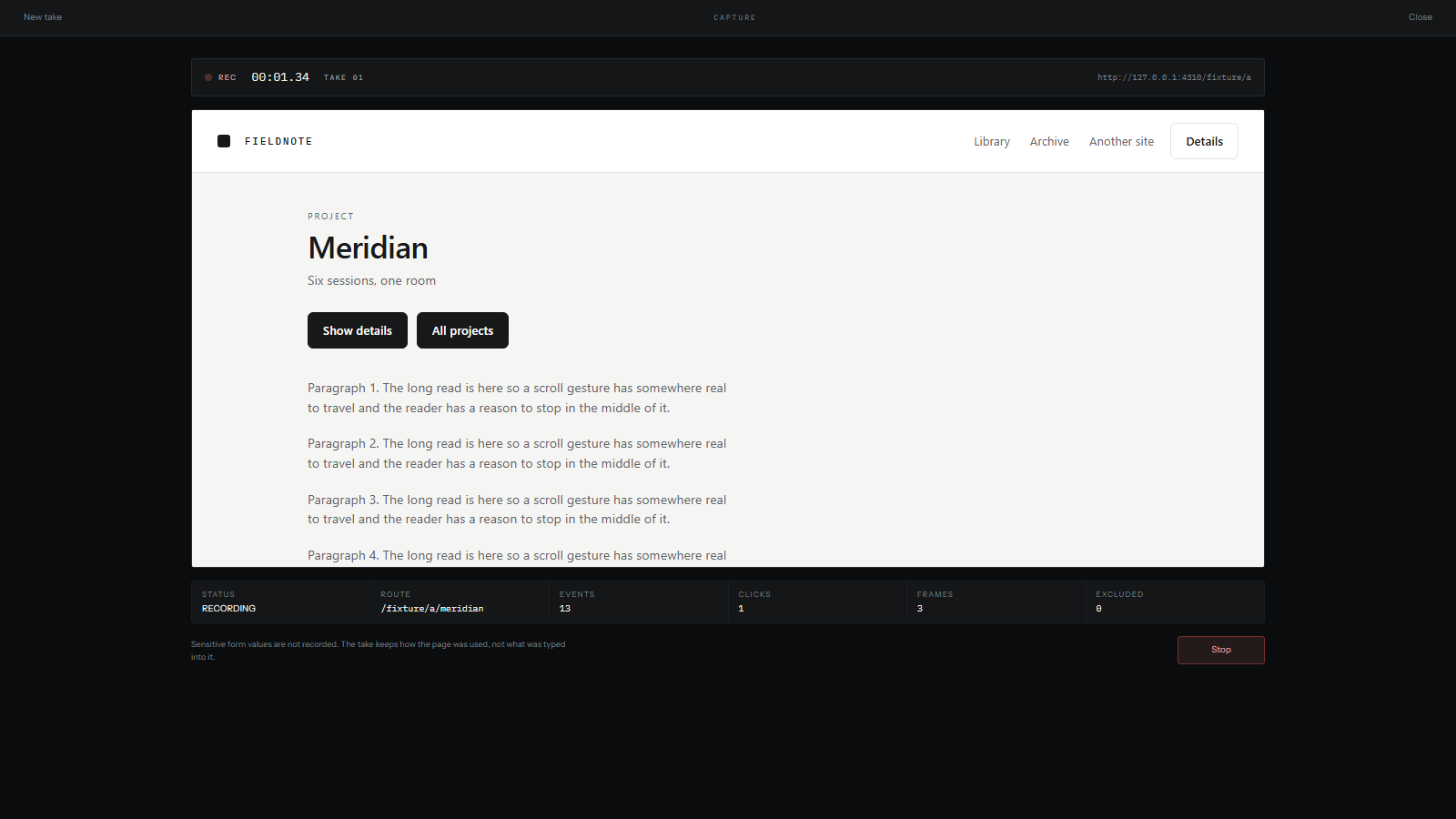
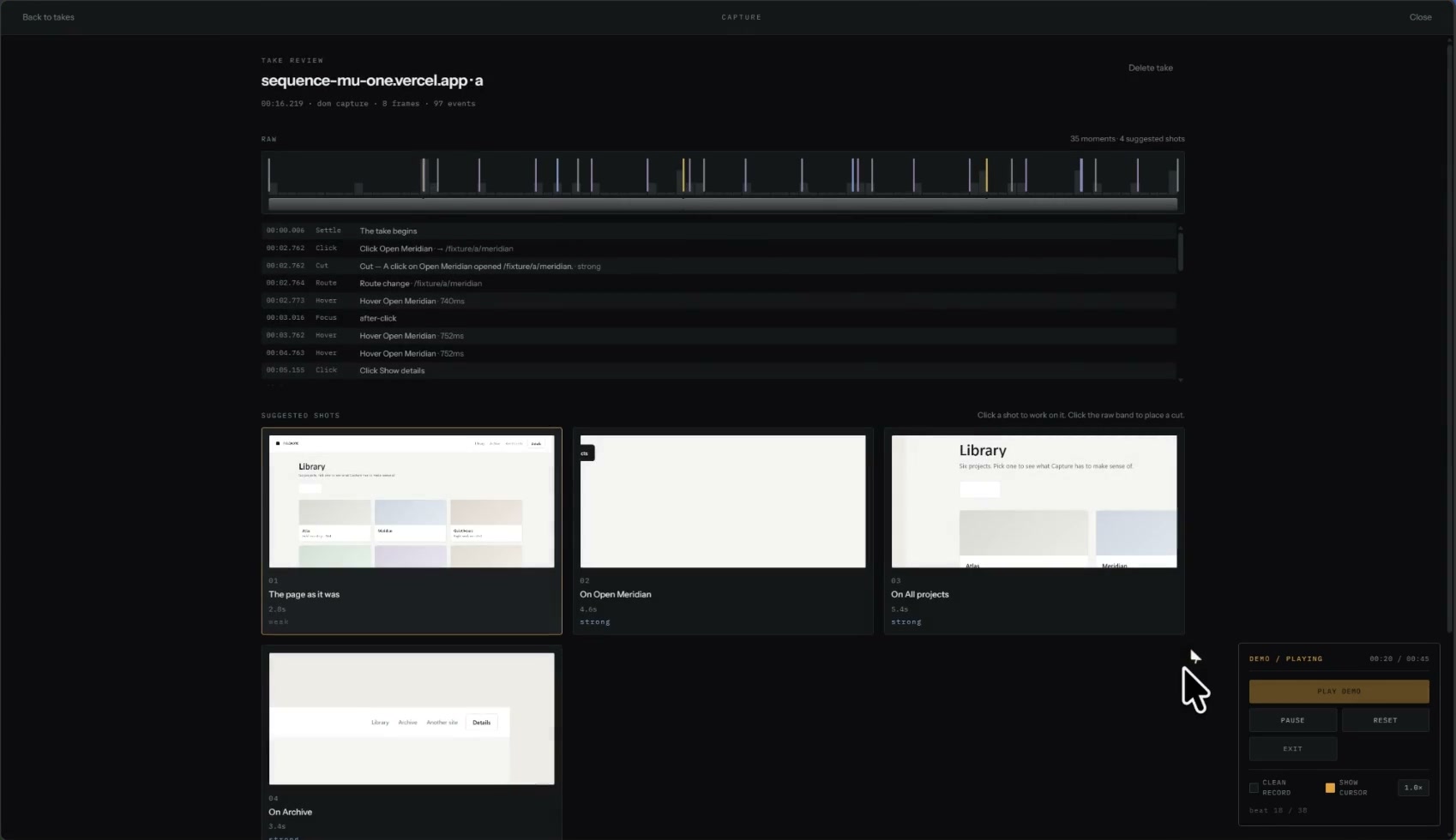
The recorder runs as a Chrome extension and observes the live page through a same-origin content script, keeping route changes, hovers, clicks and scrolls as they happen. Passwords, card numbers and anything marked private are excluded at capture time rather than hidden afterwards — the take keeps how the page was used, not what was typed into it.
What comes back is not a screenshot. Geometry, computed style and text are recorded at real coordinates, which is the only reason the next stage can treat an element as something to point a camera at.
Direct
Four verbs, and a camera that is a position rather than a trick.
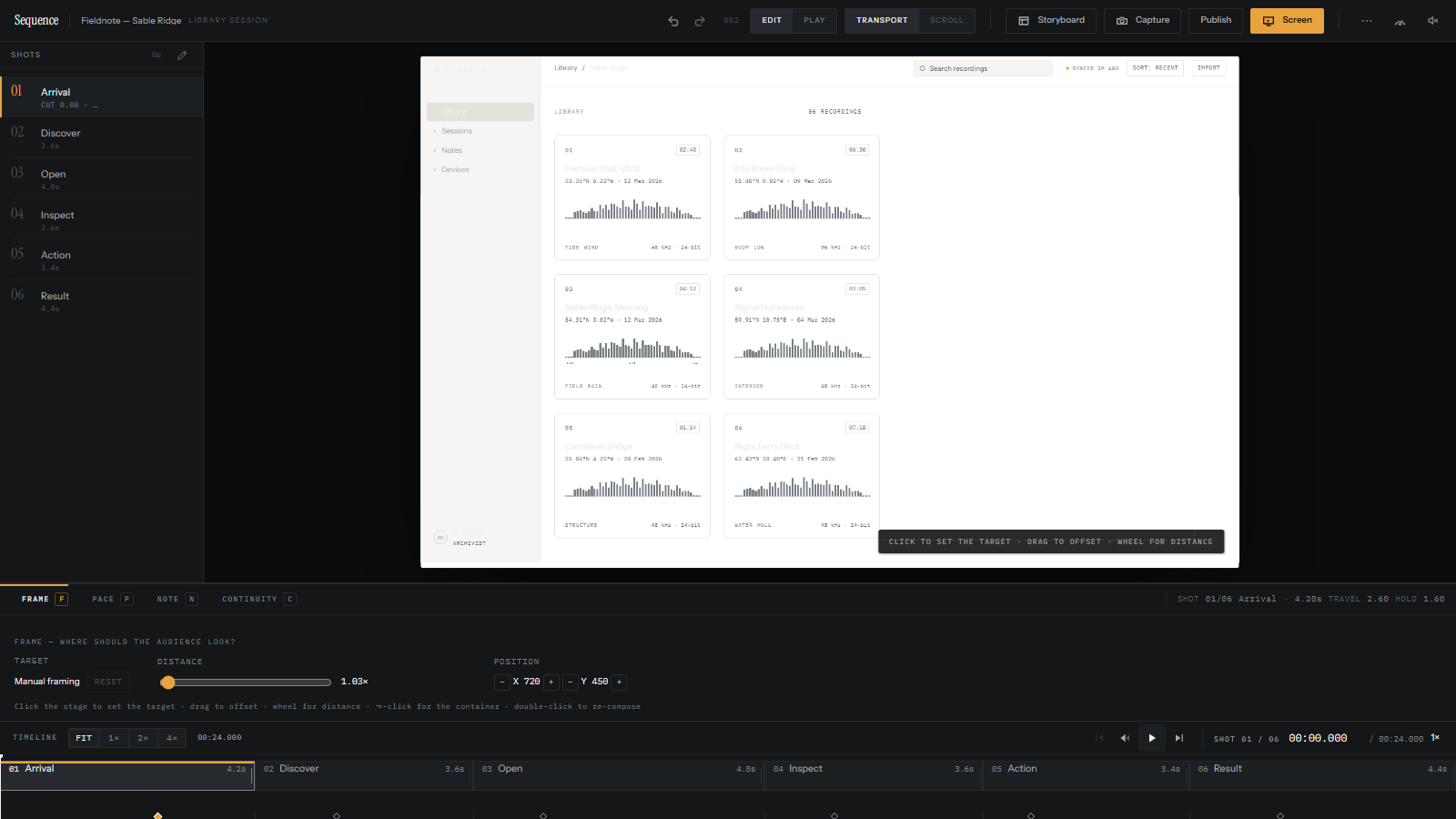
The Director is the whole product in one screen. Shots down the left, the reconstructed page on the stage, the tool you are holding underneath, and the timeline along the bottom. There are no keyframes and no curve editor, because the shot is the thing being chosen — not the transition between shots.
FRAME
Point the camera at an element and the shot composes around it; drag to reframe by hand, and the wheel changes distance. Because scale, offset and focal point are camera properties, the reframe you author and the playback you scrub cannot disagree.
PACE
Every shot moves in and then stays. Drag the divider between travel and hold and the total duration is preserved — what changes is where the attention goes inside it.
NOTE
A sentence placed on the picture, timed to the shot, held up while you write it and gone before the shot ends. It resolves on the stage, reverses with everything else, and appears on the timeline.
CONTINUITY
Pick what becomes what. An element in one shot is treated as the same element in the next, and the two positions are measured against each other so the hand-off travels instead of cutting.
Storyboard, then screening
The contact sheet is not made of pictures.
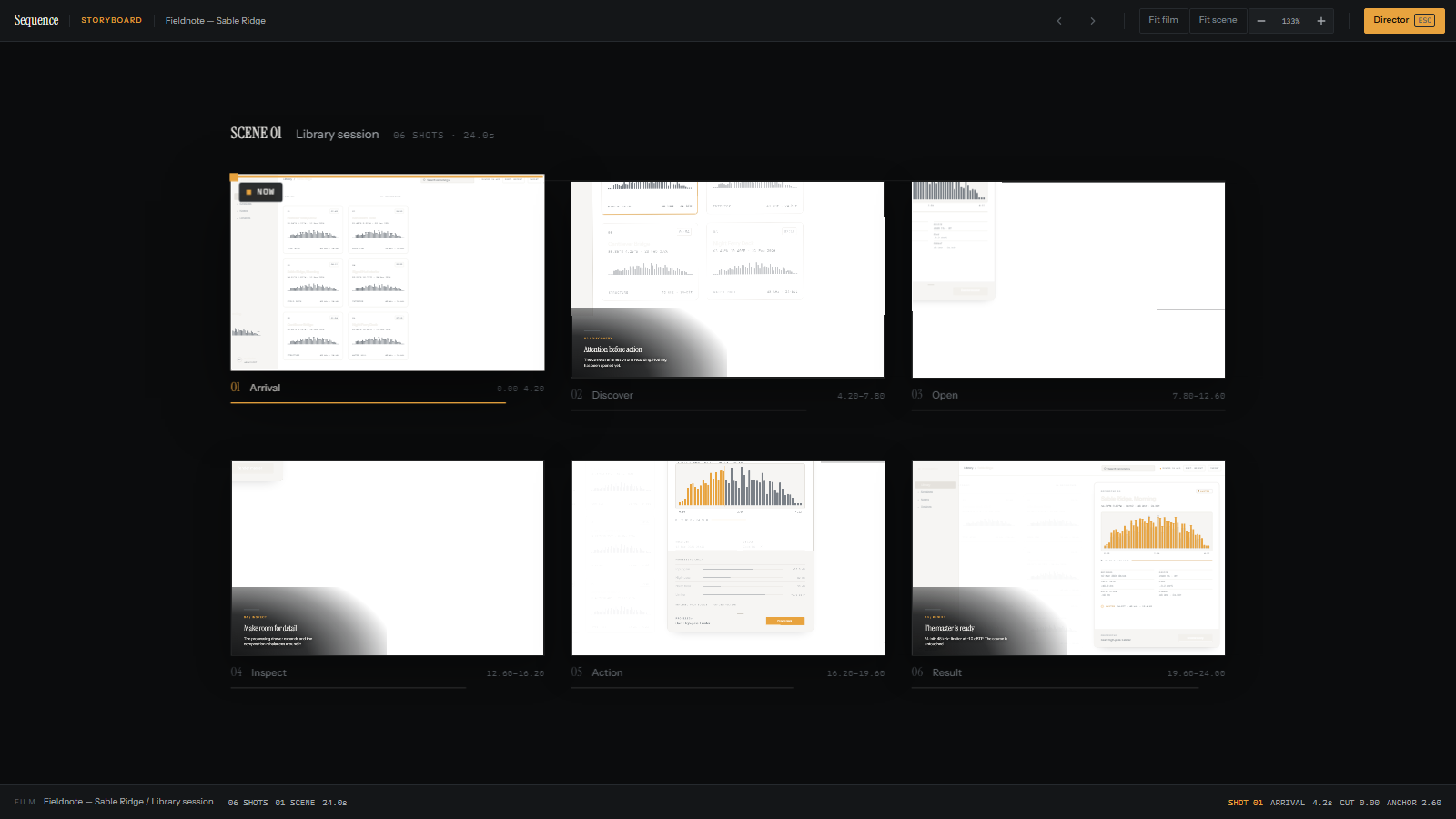
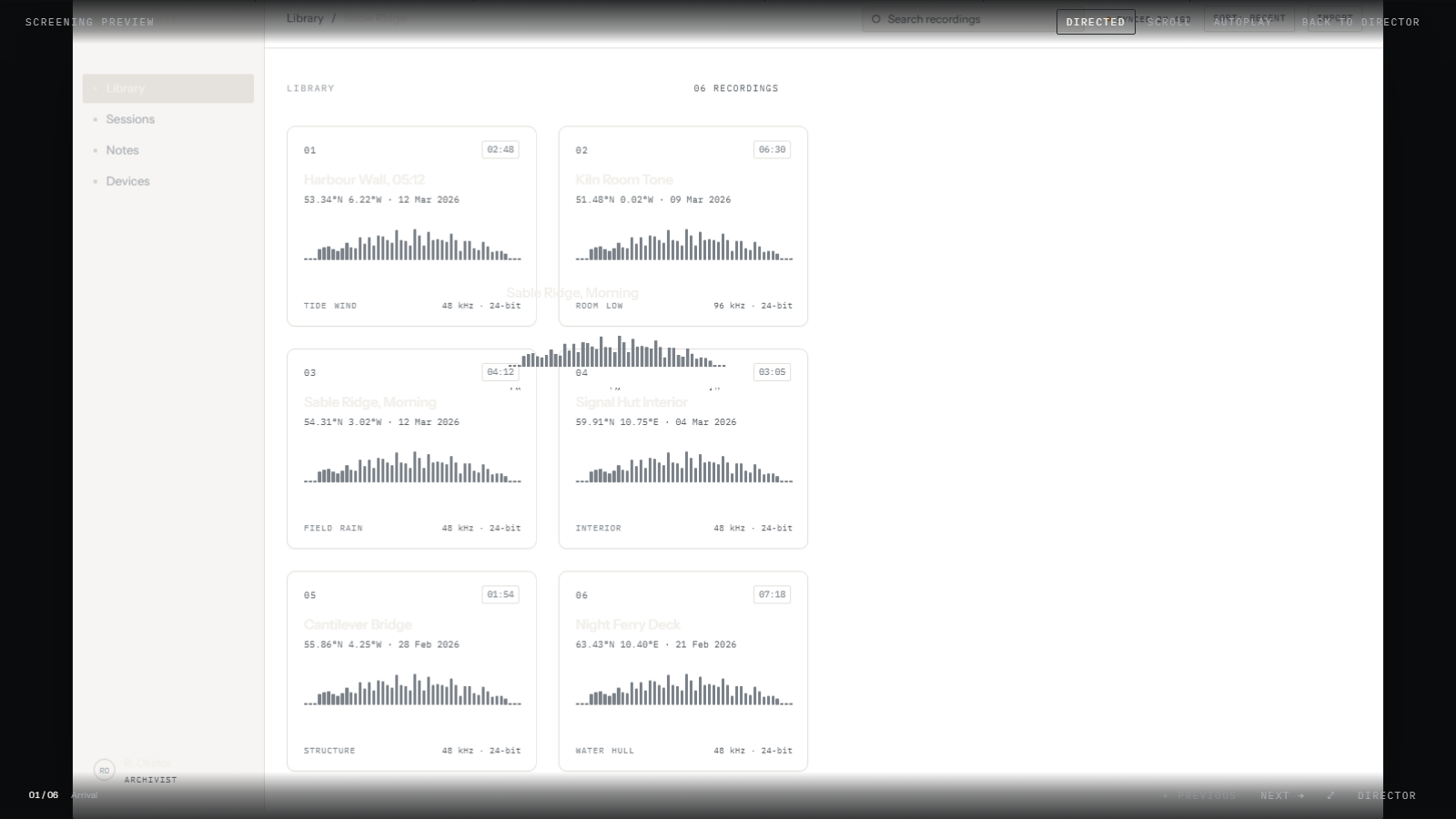
The Storyboard shows the whole Film as a grid of shots you can reorder, preview and step out of. Each frame in it is a live surface on the same clock as the Director rather than a screenshot of one, which is why eighteen of them cost one engine and why a preview inside a frame resumes exactly where that frame's beat is.
Screening is the same controller again with the editor chrome removed. It plays the way a viewer will see it, and a Film can be published to a URL or embedded on another page.
The decision that made it work
One clock, and continuity computed rather than drawn.
The whole Film is a function of a single time value. There is no state machine to fall out of step with itself, so playing, seeking, playing in reverse and jumping to a shot are the same code evaluated at a different number. Scrubbing backwards produces the same frame as scrubbing forwards — the suites measure a worst-case delta of 0.000px across twelve samples.
Continuity works the same way. When an element appears in two shots, both rectangles are read and the travel that makes them line up is computed, which is why the hand-off is correct for content nobody tuned by eye.
There is no UI framework, no animation library and no design system here. The film is animated by one engine writing transforms straight to the DOM, and React renders the chrome without re-rendering during playback — measured at zero renders across playback and a scrub drag, not assumed.
V1
What is finished, and what it is not.
Working now
- Capture through a Chrome extension, with sensitive field values excluded at the source
- Take review, with suggested cuts accepted or rejected one at a time
- The Director: shot list, stage, timeline, and FRAME, PACE, NOTE and CONTINUITY
- The Storyboard, with live frames, reordering and per-shot preview
- Screening, plus a publish path that writes a Film to a URL
- Verification suites that drive a real browser and assert measured geometry
Still open
- A recorded page is reconstructed from its geometry, style and text rather than mirrored: no site JavaScript runs, so it is a picture of a page, not a living one.
- Canvas, WebGL, video and cross-origin iframes come back empty, and a site that lives behind a login or a canvas captures almost nothing.
- The extension is a manual install rather than a Web Store listing, and only Chrome and Chromium browsers are supported.
- Publishing has no accounts and no authentication, and a republish replaces the revision at the same address — there is no version history yet.
What I want to learn next
Can someone work out Sequence's tools without being taught them?
The v1 sets out FRAME, PACE, NOTE and CONTINUITY as an interaction vocabulary. The next useful test is to hand someone a recorded interaction, ask them to direct it without instructions, and watch where the model makes sense — and where it doesn't.
Which tool they reach for first, which of the four words they misread, where they get stuck, and whether CONTINUITY is the hand-off they expected: those are what I would be watching.
What it changed
The question moved from animating a mockup to choosing what deserves attention.
Building Sequence changed the problem I bring to an interaction. It stopped being about how to animate a mockup convincingly and became about which parts of a real interaction deserve a camera, a pause, or continuity — and which are better left as a cut.